
A Word Document Translator Stops Before Court Work
Software that translates Word documents is ideal for rapid legal intake, but courts require sworn human certification. Learn how law desks split machine reading from official filings.

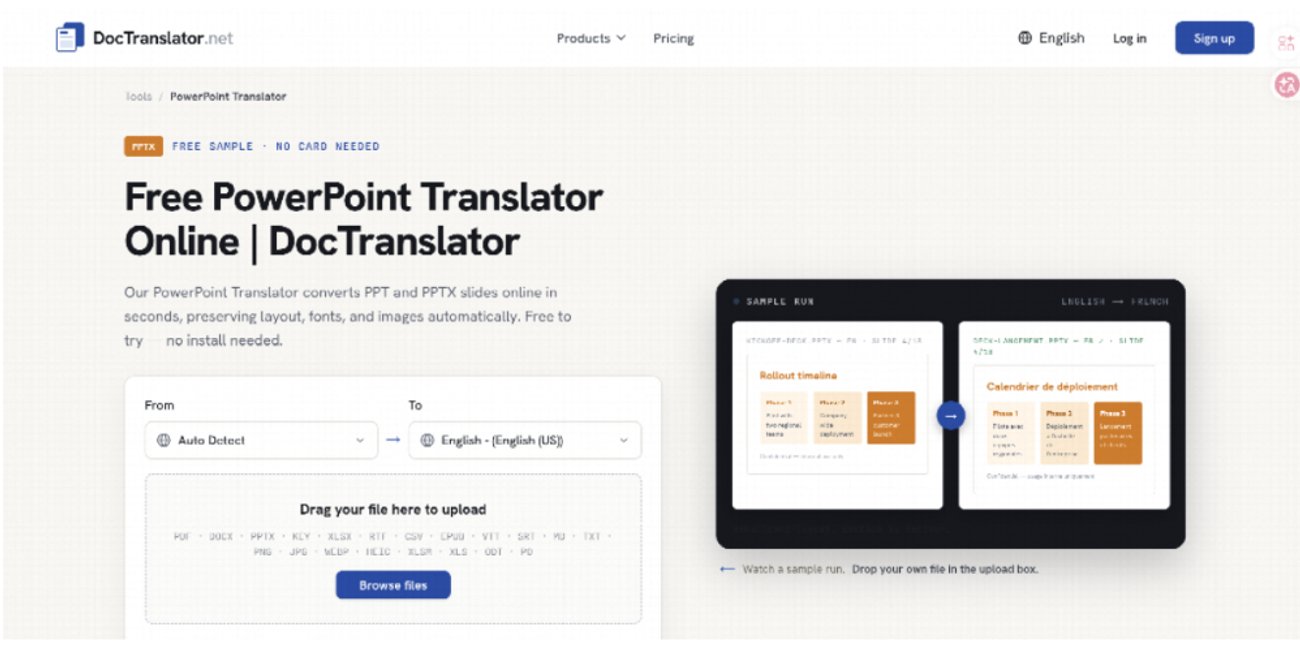
DocTranslator online document translation interface
A visa packet and a courtroom exhibit look remarkably similar on a laptop. Both are Word files containing names, dates, and stamps. Software that can translate Word documents can help a desk quickly read the first one, but it cannot stand in for the second. That split is the whole job: machine translation of a live DOCX is useful when the question is what the attachment is, but it is the wrong tool when a court clerk will accept only a named human and a sworn stamp. Keep those two questions on two separate files.
Two Questions That Cannot Share One File
Intake on a cross-border matter usually starts with a foreign contract, a civil registry extract, or a university letter sitting in an email inbox. Someone on the desk needs to know whether the file is a lease, a judgment, or a school record before money is spent on a sworn translator. Waiting days for a certified page to learn that the attachment is merely a utility bill wastes the retainer.
The second question arrives later. A consulate, a court, or a licensing board wants a named translator and a sworn statement that the wording is complete. That path does not care that the desk already understood the file—it cares that a human is on the hook for the words.
Mixing the two questions produces the usual mess. A clean-looking English DOCX gets attached to a filing and comes back rejected because nobody certified it. Alternatively, every annex is sent out for certification before anyone has read it, and the invoice covers pages nobody needed.
Mark The Pages That Must Stay Human
The test protocol on our desk is a page list, not a feeling. Before any upload, open the source DOCX and tag the leaves that will face an official. Birth data, signature blocks, and any page the filing checklist names by number stay in a certified-only pile. Those pages do not go through a machine. The rest of the file can be read for triage.
Keep The Source File Beside The Reading Copy
The reading copy is for the lawyer; the source file is for the record. If a date looks wrong in English, the check is the original sentence next to the original, not a second machine pass. DocTranslator returns a Word file in the same format as the upload, which is enough for internal markup. It is not a substitute for the original attachment sitting in the matter folder.
What File-Level Translation Changes In Intake
Copying a contract into a chat window destroys the map a lawyer actually uses: clause numbers, tables of fees, and comments left by the other side. The desk then spends the next hour reconstructing the map by hand. That is rework. The words may be fine, but the file is no longer a file.
A Word document translator keeps the work inside the document. Upload the DOCX, choose the language pair, and download the result. Headers, tables, and comments stay attached to the sentences they belonged to. That is the primary reason the tool belongs in intake—the desk can highlight a suspicious clause on the same page the client signed.
DocTranslator prices that pass in credits. A digital page costs 1 credit. A Standard-tier file still costs at least 20 credits, even when the page count is lower, because cost is the higher of actual pages and the tier floor. A 14-page digital DOCX therefore costs 20 credits. Only files above that floor are billed by page count. Unused monthly credits reset and do not roll into the next cycle.
That arithmetic is useful for a triage decision, but it is not a quote for a sworn translation. Certified work is sold under a human name. Do not put the two invoices on the same line and call them comparable products.
How To Split A Packet Before Upload
The practical split relies on a structured three-part protocol:
- Cover emails, annex indexes, internal memos: Read in the translated DOCX; do not send for formal certification.
- Contract body the desk must understand this week: Triage in the translated DOCX; certify only the specific clauses that will be filed in court.
- Civil status records, court orders, sworn wording: Do not upload to a machine; send the original file directly to a certified human translator.
If a page might be shown to a clerk, it never enters the machine path. If a page exists only so the desk can decide what the packet is, it can be read in the translated Word file and then left out of the certified order.
Run One Acceptance Check On The Reading Copy
After download, pick one known name, one date, and one table row count from the source. Confirm they still sit on the same page in the output. If a comment that was on clause 4.2 has jumped to the signature block, the reading copy looked fine until that check, but it is unreadable as a map. Split the file—do not send a broken map to the certified translator as the English version.
Write The Reviewer Name On The Cover
Intake fails when three people each keep a slightly different English file. Put the reviewer’s name and the date on the cover of the reading copy. The certified order, when it comes back, is a fourth file with a different job. It does not replace the reading copy, and the reading copy does not replace it.
Credit Math Is For Triage, Not Court Stamps
A scanned page costs 5 credits because the file has to be read as an image first. If the Word attachment is actually a photographed PDF, the credit math and the legal math both change. Treat that file as a scan, not as a digital DOCX, and still keep sworn pages off the machine. Credits spent on a 14-page digital file at the 20-credit floor are an intake cost—they are not a filing fee.
Documents are encrypted in transit and at rest, and automatically deleted within 72 hours of processing. That is an operations note for a desk that handles client files. It is not a court certificate, and it is not a reason to upload the pages that must stay human.
Where This Path Still Needs A Human
The tool does not issue a sworn statement. If a regulator wants a named translator, the download will never clear legal no matter how clean the layout looks. Those pages would never clear a clerk. Send them out before anyone gets attached to the machine wording.
The cheap mistake is to treat the translated DOCX as a draft the certified translator should just polish. That hands machine wording to a human who is supposed to work from the source. Give the certified translator the original file and the page list. Give the lawyer the reading copy. Do not merge them.
Keep The Certified Order Off Chat
DocTranslator is the intake reader when the file is a real Word document and the question is orientation. Court, consulate, and licensing work stay on a human certificate. If those two sentences are kept on separate files, the retainer pays for understanding first and for stamps second, not for a single English attachment that fails both jobs and gets sent back to the desk.
Frequently Asked Questions
Can AI-translated Word documents be used as official evidence in court?
No. Most courts, consulates, and licensing boards require certified translations accompanied by a sworn affidavit from a named human translator. Machine-translated DOCX files are intended for internal review and legal triage only.
Why is translating a DOCX file better than copying text into Google Translate or ChatGPT?
Translating the DOCX file preserves formatting, clause numbering, tables, headers, and comments. Copying raw text destroys the document map, forcing legal desks to spend extra hours manually reformatting the file.
How does credit pricing work for DocTranslator files?
Standard digital pages cost 1 credit per page, subject to a 20-credit floor per file. Scanned PDF/DOCX pages cost 5 credits per page due to OCR processing requirements. Unused credits reset at the end of each billing cycle.
Related Travel Guides
Disclaimer
This article is for informational and educational purposes only. It does not constitute legal, financial, or professional advice. While we strive to provide accurate and up-to-date information, travel policies, regulations, and conditions change rapidly. Always verify information with official sources before making travel decisions. Nomad Lawyer makes no representations about the accuracy, reliability, completeness, or suitability of the information provided. Readers should consult qualified professionals for advice specific to their circumstances. The views expressed in this article are those of the author and do not necessarily reflect the views of Nomad Lawyer.
Preeti Gunjan
Contributor & Community Manager
A passionate traveller and community builder. Preeti helps grow the Nomad Lawyer community, fostering engagement and bringing the reader experience to life.
Learn more about our team →