Which Cloud Video Surveillance Platform Works with Cameras I Already Own? A Hotel Operator's Guide

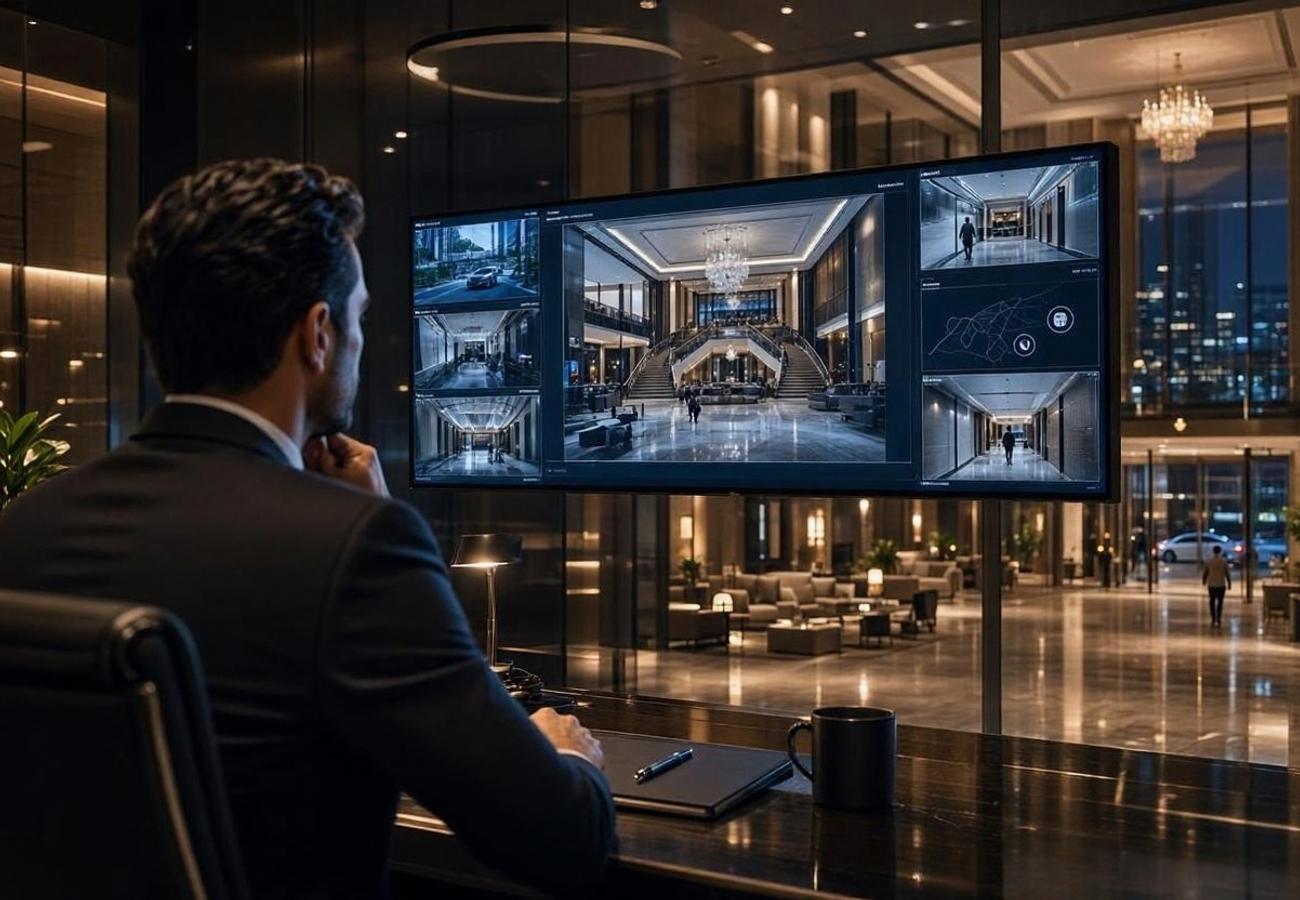
Image generated by AI / Hotel operators can migrate legacy CCTV to centralized cloud dashboards while preserving existing camera infrastructure.
Hotels can move their security cameras to the cloud without ripping out working hardware. This guide covers which platforms connect to existing cameras, how to protect guest privacy, why hotel bandwidth changes the decision, and how to roll out without disrupting a single stay.
Walk into the back office of almost any hotel and you will find the same thing: a recorder humming in a cupboard, a monitor showing a grid of camera feeds, and a night manager who knows exactly which camera points at the car park and which one stopped working last spring.
The cameras on the ceilings were installed during a renovation years ago. Most of them still work.
What has changed is what hotel operators expect from them. Owners want to see every property from one screen. General managers want to find the footage behind a guest complaint in minutes, not hours. Insurers, police, and guests all ask for clips. And when a property group adds a new hotel, nobody wants another standalone recorder in another cupboard.
Cloud video surveillance promises all of that. The question most hotel operators ask first is whether it means replacing every camera.
The Quick Answer: Connecting Existing IP Cameras to the Cloud
No. Several cloud video platforms are built to connect to the IP cameras a hotel already owns, including Brivo Eagle Eye, Coram, Solink, Spot AI, and Avigilon Alta. Most of them place a small appliance at each property that records video on site and connects it to a cloud dashboard, so a group can manage every hotel from one place.
The main requirement is that your cameras support the ONVIF standard or provide an RTSP video stream. Older analog cameras narrow the field, but a few platforms can take those too.
Why Hotels Are Rethinking Legacy On-Site CCTV Systems
Hotels have a particular set of security headaches that older, on-site recorders handle badly:
- Every property is an island: A group running six hotels often has six separate recorders, six logins, and six different ways of exporting footage. Regional managers cannot see across properties without traveling or calling each front desk.
- Finding footage takes too long: When a guest reports a missing bag or a damaged car, someone has to scrub through hours of video from several cameras. On a busy weekend, that someone is usually the duty manager, who has a dozen other urgent operational tasks.
- Incidents surface late: Slip-and-fall claims, property damage disputes, and guest complaints can arrive weeks after the event. If the recorder has already written over that footage, there is nothing left to review.
- Hotels never close: Any upgrade has to happen around guests, conferences, weddings, and 24-hour operations. That rules out anything requiring every camera to be taken down simultaneously.
Cloud platforms address most of this. The trick is choosing one that fits the cameras and network a hotel already has. For more on how technology is changing the guest side of hospitality, see our coverage of how AI is reshaping travel planning and holiday bookings.
Privacy and Placement: Mapping What Hotel Cameras Should and Shouldn't See
Before comparing platforms, agree on where cameras belong. A cloud system makes footage easier to reach from anywhere, so it is the right moment to verify that every camera covers only the spaces it should.
The rule of thumb is straightforward:
- Approved Spaces: Public and operational spaces such as entrances, the lobby, the front desk, car parks, public corridors, lifts, and loading docks are standard.
- Sensitive Spaces: Spaces where guests or staff relax in swimwear or athletic attire, such as the pool deck and the fitness center, require careful framing.
- Strictly Prohibited: Guest rooms, bathrooms, changing rooms, spa treatment suites, and employee locker rooms should never be covered under any circumstance.
Signage requirements, audio recording rules, and statutory retention limits vary by country and state, and many international hotel brands enforce their own compliance guidelines. Check both before repositioning or adding cameras. Guests notice cameras, and a clear, sensible layout helps them feel protected rather than watched.
It is also worth tightening access control. Most cloud platforms enable role-based permissions: a front desk agent can view the live lobby feed, while only the security director can export forensic clips. Enforce those boundaries from day one.
Camera Compatibility: Will Your Existing Hotel CCTV Hardware Work?
Pull an inventory of every camera at each property, including make, model, and network protocol, and verify three technical factors:
- ONVIF Support: ONVIF is the open industry standard that enables cameras and video management software from different manufacturers to communicate. Most enterprise IP cameras installed over the past decade support ONVIF, allowing cloud appliances to discover cameras automatically across the local subnet.
- RTSP Stream Availability: Cameras lacking full ONVIF compliance can often still be integrated if they output an RTSP (Real-Time Streaming Protocol) video stream. This is also how cameras from proprietary, closed ecosystems can bridge into a unified platform.
- Video Compression and Age: Most platforms expect modern H.264 or H.265 video codecs. Older analog or coaxial cameras, still prevalent in legacy properties that have postponed infrastructure overhauls, will not connect directly to IP platforms without analog-to-IP encoders. Platforms like Spot AI and Brivo Eagle Eye offer dedicated bridge appliances that ingest analog feeds directly, allowing older properties to stage upgrades gradually.
Completing this audit prior to scheduling sales demonstrations will quickly filter which platforms are genuinely compatible with your hardware.
Hotel Bandwidth Challenges: Why Local Appliance Recording Matters
Hotels face a bandwidth dynamic that standard commercial offices do not. Guest Wi-Fi, in-room 4K streaming, executive conference video calls, and cloud property management systems (PMS) all compete for the same upstream pipe. Adding dozens of cameras streaming continuous high-definition video directly to the cloud can severely degrade network performance, particularly during sold-out holiday weekends or large corporate events.
For this reason, top-tier hospitality surveillance platforms record full-resolution video locally on an on-site appliance while utilizing the cloud strictly for management dashboards, analytical metadata, remote live viewing, and incident search. Video traverses the internet only when authorized personnel actively stream or archive a clip.
This hybrid architecture also ensures uninterrupted recording during internet service outages—an essential safeguard for 24/7 hospitality environments.
5 Cloud Video Platforms That Work with Existing Hotel Cameras
These five platforms are evaluated based on how effectively they integrate existing camera hardware while providing centralized cloud management across multiple properties:
1. Brivo Eagle Eye (Formerly Eagle Eye Networks)
- Why Hotel Operators Choose It: Following the December 2025 merger of Eagle Eye Networks under the Brivo brand, the combined platform lists compatibility with over 7,500 IP camera models alongside analog-ready bridge appliances. Each property utilizes either an Eagle Eye Bridge (cloud uplink) or a Cloud Managed Video Recorder (CMVR) for local storage. Operators also benefit from unified cloud access control, bringing guest, staff, and perimeter doors under a single vendor.
- Important Considerations: Brivo Eagle Eye is sold through certified security integrators on a per-camera software subscription. If utilizing the Bridge model for full cloud recording, evaluate available uplink bandwidth carefully.
2. Coram AI
- Why Hotel Operators Choose It: Coram is an AI-powered physical security platform engineered explicitly around existing camera assets. A local Coram Point appliance auto-discovers ONVIF cameras across hotel subnets, stores footage locally, and executes AI computer vision on-premise, feeding an intuitive multi-property cloud dashboard. Cameras from closed ecosystems (including Cisco Meraki and Ubiquiti) connect seamlessly via RTSP, and Verkada cameras can be recorded over RTSP during gradual fleet migrations.
- For hotel management teams, the core differentiator is natural-language search: staff can describe search parameters in plain English and automatically track a person or vehicle across multiple camera angles. Coram also integrates staff access control and iPad-based visitor management for outside contractors, with optional licenses for slip-and-fall safety detection. Learn more on Coram's video management system page.
- Important Considerations: Each property requires a Coram Point appliance purchased upfront. Analog and coax feeds are not natively supported, meaning older legacy properties may require IP encoders or selective camera upgrades.
3. Solink
- Why Hotel Operators Choose It: Solink is purposefully tailored for hospitality and retail operations. The platform connects existing camera hardware via an on-premise appliance and synchronizes video feeds directly with Point of Sale (POS) transaction logs. Managers overseeing hotel bars, restaurants, and gift shops can immediately jump from a disputed transaction, void, or comped tab directly to the synchronized surveillance clip. Its Video Alarms capability also allows cameras to double as after-hours intrusion alarms for closed outlets.
- Important Considerations: Solink excels within food and beverage operations. Hotel groups requiring enterprise physical access control or integrated visitor management across back-of-house areas will need to verify integration options.
4. Spot AI
- Why Hotel Operators Choose It: Spot AI links any standard ONVIF or RTSP camera to an on-site intelligent video recorder (IVR) that can also ingest legacy analog BNC feeds. High-resolution footage remains on property, while AI-accelerated search, heatmaps, and operational alerts stream via a browser-based cloud interface.
- Important Considerations: Spot AI is centered primarily on video intelligence. Teams prioritizing native electronic access control or credentialed keycard doors will need to coordinate with third-party access control partners.
5. Avigilon Alta
- Why Hotel Operators Choose It: The cloud-native division of Motorola Solutions combines video management, access control, and visitor check-in, with the ability to take over legacy Mercury door controller boards. Existing third-party ONVIF or Axis cameras connect through an Alta Cloud Connector appliance.
- Important Considerations: Avigilon Alta is distributed exclusively through authorized integrators with non-public pricing tiers. Advanced analytical capabilities are optimized primarily for Avigilon's proprietary camera hardware.
Comparison of Top Cloud Video Platforms for Hotels
| Platform | Existing Camera Compatibility | Primary Storage Architecture | Best Suited Hospitality Environment | Key Operational Considerations |
|---|---|---|---|---|
| Brivo Eagle Eye | 7,500+ IP models; analog-ready appliances | Cloud (Bridge) or Local On-Premise (CMVR) | Mixed camera generations across large regional portfolios; unified access control | Integrator pricing models; high cloud bandwidth requirements on Bridge setups |
| Coram AI | Enterprise ONVIF cameras + RTSP streams | Local Coram Point Appliance (Hybrid Cloud) | Multi-property hotel groups seeking fast natural-language search, doors, and contractor check-in | Requires local appliance purchase; analog feeds not natively supported |
| Solink | Existing IP cameras via local appliance | Local on-premise with cloud sync | Hotel food and beverage outlets, bars, and retail shops linked to POS registers | Primarily focused on F&B and retail; narrower feature set for general hotel security |
| Spot AI | ONVIF, RTSP, and legacy analog coaxial feeds | Local intelligent video recorder | Older properties with mixed analog and IP camera infrastructure | Specialized strictly in video analytics; third-party partners required for access control |
| Avigilon Alta | ONVIF or Axis cameras via Cloud Connector | Hybrid cloud via Alta Cloud Connector | Hospitality portfolios standardizing broadly on Motorola Solutions hardware | Integrator-led quoting; premium analytics perform best on native Avigilon hardware |
For more industry updates, property renovations, and management trends, explore our comprehensive hotel news coverage.
Phased Implementation: Rolling Out Cloud Video Without Disrupting Guests
A fully operational hotel cannot take its security network offline during peak guest occupancy. A structured, phased rollout guarantees zero operational disruption:
- Pilot on a Single Property: Select a single representative hotel—ideally one featuring diverse camera models—and operate the cloud platform for several weeks to evaluate search workflows and network loads before scaling across the entire group.
- Operate Parallel Systems: Maintain existing Network Video Recorders (NVRs) in parallel until the new cloud platform has recorded for the full duration of your statutory retention window. This prevents any gaps in historical coverage.
- Prioritize Back-of-House and Parking Areas: Transition employee entrances, administrative corridors, and parking garages first. Completing these areas avoids technician visibility in guest lobbies while staff familiarize themselves with the system.
- Schedule Cut-Overs During Overnight Windows: Connecting camera streams to a local appliance takes only minutes per channel, but scheduling cut-overs during low-occupancy overnight hours keeps public surveillance intact when guest movement is highest.
- Train Frontline Night Staff: Night auditors, duty managers, and security staff are the primary operators searching video during late-night incidents. Ensure they can independently locate, bookmark, and export clips before decommissioning legacy recorders.
- Align Video Retention with Incident Reporting Patterns: If slip-and-fall claims or chargeback disputes typically arrive 30 to 60 days following checkout, configure local on-site hard drives to comfortably exceed that window.
For more on the enterprise software systems reshaping global hospitality, visit our travel technology news section.
Frequently Asked Questions About Hotel Cloud Video Surveillance
Can a hotel keep its existing CCTV cameras when moving to the cloud?
Yes. Modern cloud video surveillance platforms such as Brivo Eagle Eye, Coram, Solink, Spot AI, and Avigilon Alta connect directly to existing IP cameras that support the ONVIF profile or provide an open RTSP stream. Properties with legacy analog coax cameras can utilize analog-ready bridge appliances from Spot AI or Brivo Eagle Eye without rewiring ceilings.
Will cloud cameras slow down guest Wi-Fi and hotel bandwidth?
Not if the platform utilizes an on-site recording appliance. Hybrid-cloud systems record and store high-bitrate video locally on property, transmitting data across the internet only when an operator views live footage or downloads an exported clip. Pure cloud-streaming cameras that broadcast continuously consume substantial uplink bandwidth and should generally be avoided on shared hotel circuits.
Can one centralized dashboard manage multiple hotel locations?
Yes. Multi-property visibility is the primary driver for hotel groups migrating to the cloud. Each hotel maintains its own local recording hardware, but corporate security directors, regional managers, and general managers access all locations through a unified web and mobile dashboard with granular role-based permissions.
Where should hotel operators never place security cameras?
Surveillance cameras must never be installed in private guest rooms, restrooms, public changing facilities, spa treatment suites, or employee locker rooms. Outdoor pool decks and fitness centers require careful angle framing to respect guest modesty while maintaining liability oversight.
The Bottom Line for Hotel Operators
Hotels do not need to replace working camera hardware to unlock the benefits of cloud video surveillance. Start by auditing your camera inventory for ONVIF or RTSP compliance, verify proper placement boundaries to protect guest privacy, and prioritize hybrid architectures that record locally to protect your guest Wi-Fi network.
For multi-property hotel groups seeking unified visibility, AI search, and seamless camera retention, platforms like Brivo Eagle Eye and Coram AI offer natural starting points, while Solink provides specialized value for food and beverage operations. Pilot one property, run legacy and cloud systems in tandem, and empower your night managers with modern search tools before expanding group-wide.
Related Travel Guides
This article is for informational purposes. Flight routes, passenger regulations, visa rules, and transit advisories are subject to change by airlines and aviation authorities. Readers are advised to verify schedules and travel documentation with relevant carriers and border agencies before departure.
Related Stories
Íslandshótel Selects Aven Hospitality to Unify Hotel Commerce Across 18 Properties

Japan Unlocks New Travel Opportunities as IHG and ANA Celebrate 20 Years